While the STLTH X GEEKBAR has proven itself to be a solid and reliable disposable vape, that doesn’t mean you won’t occasionally run into a hiccup or two. Whether you’re dealing with dry hits, no vapor production, a burnt taste, leaking e-liquid, or charging issues, we’ve got you covered.
In this guide, we’ll go through the most common issues and explain how to fix them.
Screen Not Turning On
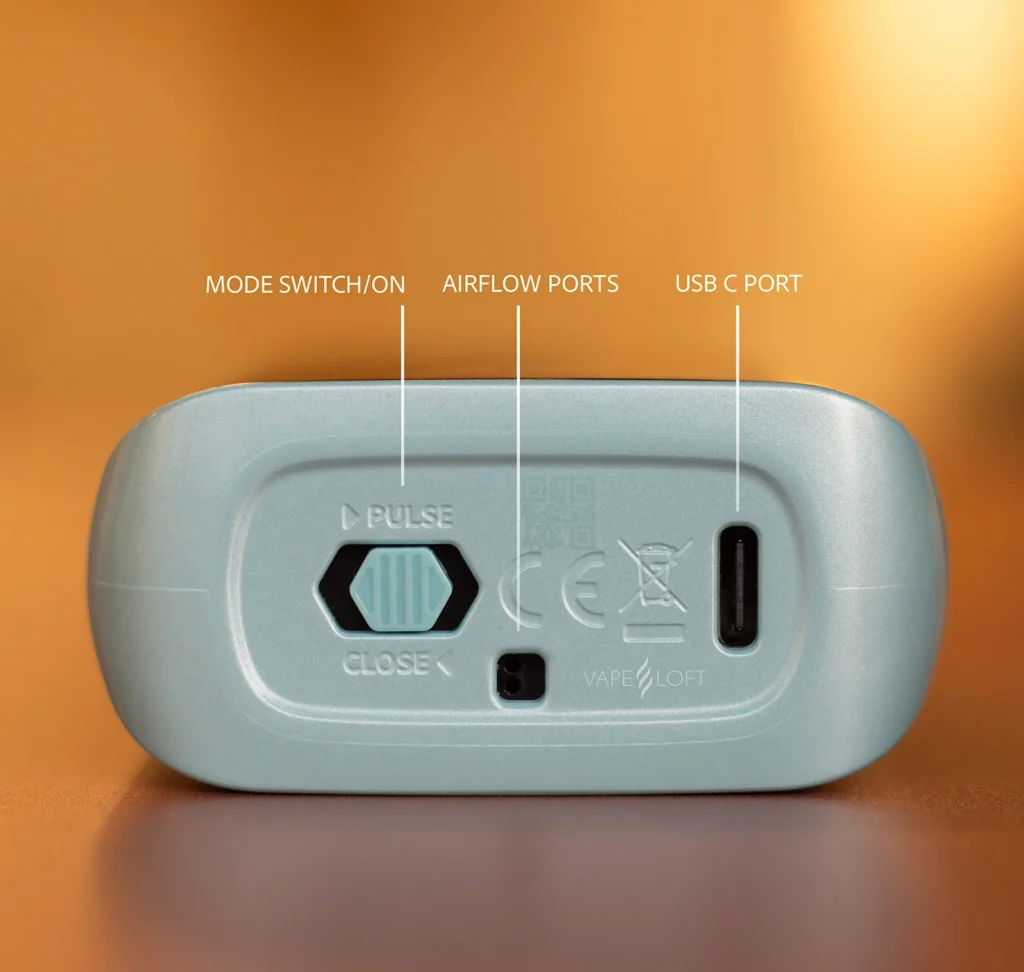
The STLTH X GEEKBAR is equipped with a dual-purpose switch located at the bottom of the device. This switch acts as a power control, vaping mode selector, and airflow controller all in one.
When the switch is positioned all the way to the left, the device is turned off. Simply move the switch to the middle or right position and you should see the screen come to life.
Understanding the Switch Positions
The switch at the bottom allows you to select your preferred vaping mode.
- Left Position: Airflow closed and device turned off.
- Middle Position: Two airflow holes open and the device operates in Normal Mode.
- Right Position: Three airflow holes open and the device operates in Pulse Mode.
If your screen isn’t turning on, this should be the first thing you check.
No Vapor Is Coming Out
One of the great features of the STLTH X GEEKBAR is its simplicity. There are no buttons to press or settings to navigate. The device is equipped with an automatic draw sensor that activates as soon as you inhale.
If you’re taking a puff and the screen doesn’t light up or no vapor is being produced, there are usually only a couple of possible causes.
Possible Causes
The Device Is Turned Off
Make sure the switch at the bottom isn’t set all the way to the left. If it is, move it to either the middle or right position.
The Battery Is Dead
If the battery is depleted, simply connect the device to a USB-C charger. The screen should turn on and indicate that charging has started.
Note: The STLTH X GEEKBAR does not feature pass-through charging technology. In other words, you can’t vape while it’s charging, so you’ll need to give it a few minutes before getting back to it.
STLTH X Geekbar Not Charging
There’s nothing more frustrating than plugging in your device only to discover that absolutely nothing happens.
Fortunately, the problem isn’t always the vape itself.
Check Your Charging Cable
Before assuming the device is defective, try a different USB-C cable.
It may sound obvious, but faulty charging cables are responsible for a surprising number of charging issues. We’ve seen more “broken” devices fixed by swapping the cable than almost anything else.
Inspect the Charging Port
Take a look inside the USB-C charging port.
If the device spends a lot of time in your pocket, purse, backpack, or cup holder, lint and debris can build up inside the port and prevent a proper connection.
If you notice debris, carefully remove it and try charging the device again.
Try a Different Power Source
The problem may not be the device at all.
Try using a different wall adapter, USB port, or charging block. A faulty charging source can sometimes make it appear as though the device isn’t charging when the real issue is elsewhere.
Let the Device Return to Room Temperature
Lithium batteries don’t perform well in extreme temperatures.
If the STLTH X GEEKBAR has been sitting in a freezing car during the winter or baking in direct sunlight during the summer, allow it to return to room temperature before attempting to charge it again.
Has the Device Reached the End of Its Lifespan?
While the battery is rechargeable, the STLTH X GEEKBAR is still a disposable vape.
If the e-liquid level is already at or near zero and the device has seen plenty of use, it may simply be time for a replacement.
The E-Liquid is Leaking
Let’s start with the good news.
Finding a small drop of e-liquid inside the mouthpiece every now and then is usually nothing to worry about. This can happen if the device has been exposed to extreme temperatures, such as being left in a steaming hot car during the summer.
What’s not normal is finding excessive amounts of e-liquid leaking from the device.
How to Fix It
- Place the device upside down on a piece of paper towel for a few hours.
- Switch the device to Pulse Mode and perform a few primer puffs while covering the mouthpiece with a paper towel to avoid getting e-liquid in your mouth.
What’s a Primer Puff?
A primer puff is simply a gentle draw on the device without inhaling the vapor into your lungs.
Think of it as encouraging the e-liquid to move where it needs to go before taking a regular puff.
Why Is This Happening?
In many cases, the leak isn’t actually coming from the e-liquid reservoir itself.
If the device hasn’t been used for a while, a small amount of e-liquid can accumulate around the coil and doesn’t get fully vaporized. When you take your next puff, that excess e-liquid may work its way into the mouthpiece, making it seem like the device is leaking.
This is also why it’s important not to go overboard with primer puffs.
Primer puffs work by creating pressure that helps pull e-liquid toward the coil and wick. While this can help with dry hits, performing too many primer puffs can introduce more e-liquid than the coil can handle at once, causing it to become flooded.
A flooded coil can lead to gurgling, spitback, reduced vapor production, and even more e-liquid finding its way into the mouthpiece.
If you’ve just performed a few primer puffs and notice a small amount of e-liquid in the mouthpiece afterward, that’s usually nothing to worry about. You’ve just encouraged extra e-liquid into the coil area and it may take a few regular puffs for everything to balance itself out again.
If the device feels excessively flooded, simply place it upside down on a paper towel for a while and allow any excess e-liquid to drain away before using it again.
Dry Hits/Burnt Taste
This phenomenon isn’t exclusive to the STLTH X GEEKBAR. In fact, we covered this specific issue in our Uwell Caliburn guide.
While disposables are almost immune to dry hits, every now and then one can sneak up on you at the worst possible time. It sucks, but fortunately there’s usually a reason behind it.
This issue is much more common with refillable vape tanks and pods. When you first fill a brand-new pod or tank, the wicking material inside hasn’t had enough time to absorb the e-liquid. Some users get excited, fill the pod, and immediately start vaping before the coil and cotton have had time to properly saturate.
The result? A dry hit that tastes like you’ve just licked a campfire.
Fortunately, disposables don’t usually suffer from this problem because the coil and wick inside the device are basically swimming in e-liquid from day one. Everything is already saturated and ready to vape right out of the package.
Common Causes
1. You’re Out of E-Liquid
This is by far the most common cause of dry hits on a disposable.
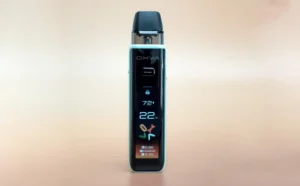
The STLTH X GEEKBAR displays the remaining e-liquid level on the screen. If you’ve been enjoying your device and suddenly notice a burnt taste while the e-liquid indicator is sitting at or near zero, you’ve likely reached the end of its lifespan.
If the screen shows 0% e-liquid, continuing to vape the device will almost certainly result in a burnt taste.
2. The Device Has Been Stored Improperly
While less common, this can happen if the device has been sitting for a long time after being opened – especially in a hot, dry environment or stored upside down.
If you’re the type of person who leaves a vape tucked away in a glove compartment, backpack, or desk drawer for weeks at a time, the wick may not remain fully saturated. The first few puffs can sometimes taste a little burnt.
How to Perform a Primer Puff
- Turn off the device by moving the switch all the way to the left.
- With the airflow closed, gently take several puffs from the mouthpiece without inhaling.
What you’re doing here is creating a small vacuum inside the device. Since the airflow is closed, the pressure you’re creating helps pull e-liquid back into the coil and wick, allowing everything to re-saturate.
After performing a few primer puffs, switch the device back to Normal Mode (middle position) and try taking a regular puff.
If the flavor improves but still tastes slightly burnt, repeat the process a few more times and allow the device to sit upright for about five minutes before trying again.
How to Use the STLTH X GEEKBAR
The switch at the bottom of the device allows you to select your preferred vaping mode and airflow setting.
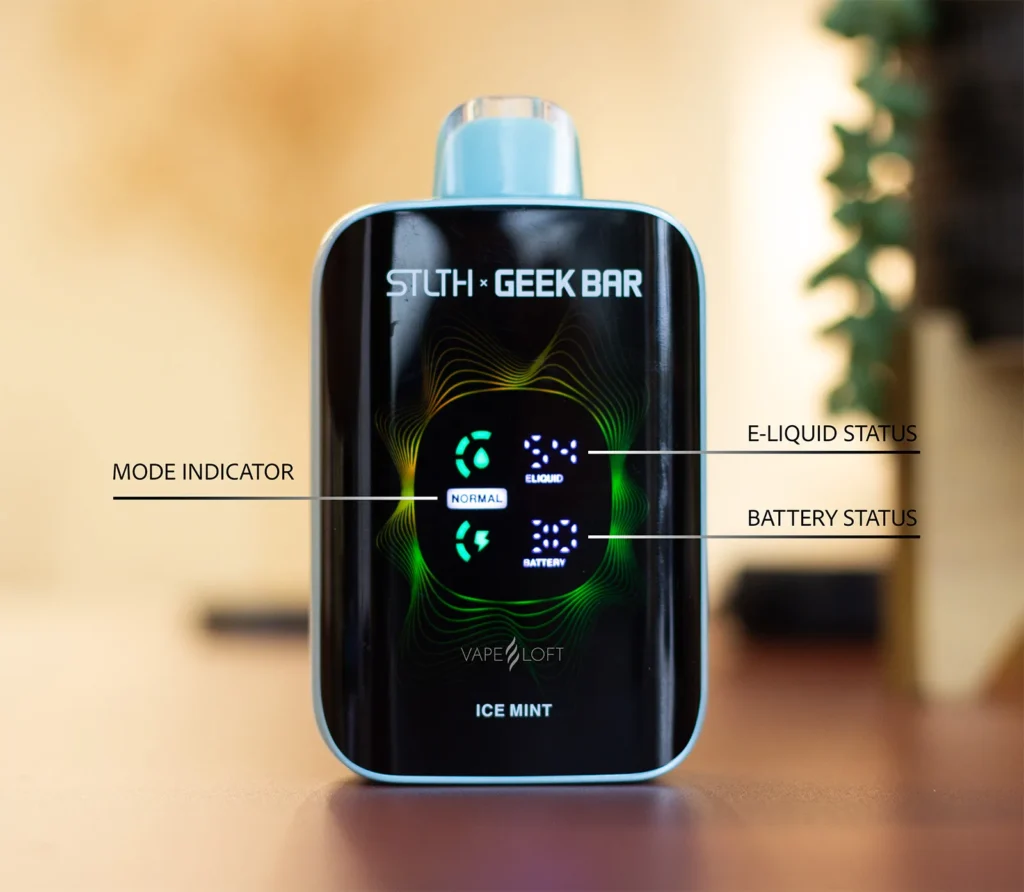
- Left Position: Device off and airflow closed.
- Middle Position: Normal Mode with two airflow holes open.
- Right Position: Pulse Mode with three airflow holes open.
The current mode will also be displayed on the screen beneath the e-liquid indicator.
If you’re new to the STLTH X GEEKBAR, we generally recommend starting in Normal Mode and then experimenting with Pulse Mode if you’re looking for a warmer vape and a bit more intensity.
At the end of the day, the STLTH X GEEKBAR is designed to be simple, reliable, and easy to use. Most issues can be resolved in just a few minutes once you know what’s causing them. If you’re still having trouble after trying the steps above, it may simply be time for a fresh device. Either way, we hope this guide helped you get back to enjoying a smooth vape instead of troubleshooting one.