
We are excited to introduce a brand new feature! You can now register a passkey for your account for a one-click log-in experience. This works seamlessly with all new generation iOS, Android, MacOS and Windows devices, and it means your passwords are no longer necessary.
How to enable password-less sign in
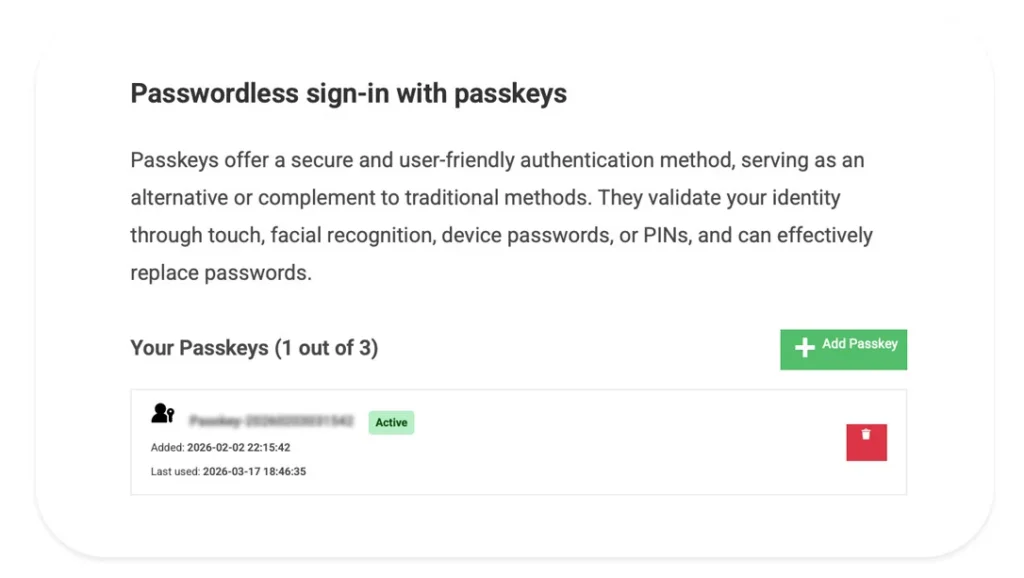
- Navigate to your account page
- Scroll down to Passwordless sign-in section
- Click the Add Passkey
This will generate and store your key in a Secure Enclave with encryption on your device.
How to use the passkey
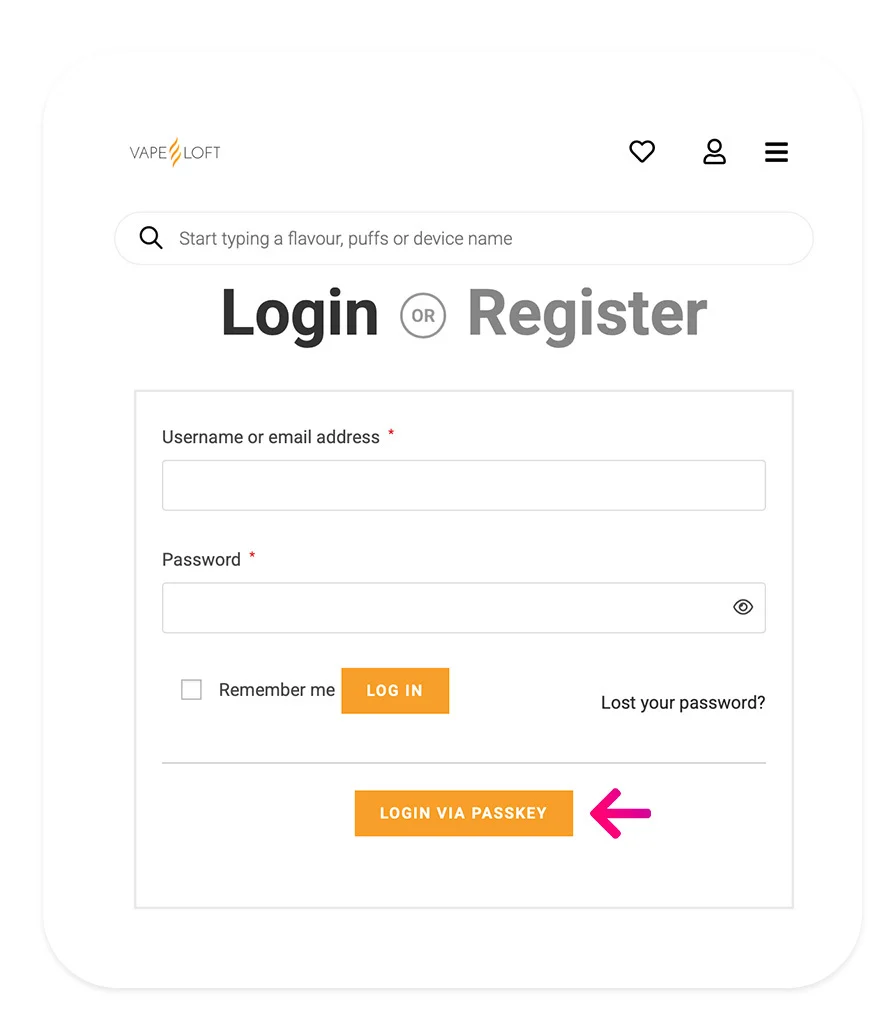
Next time you are on a log-in page you no longer need to use the traditional email/password form. Instead click the Login via Passkey button right below and you will automatically be prompted to verify your login with one of your biometric authentication methods:
- FaceID
- Fingerprint
- Passcode
What are the benefits of passkeys?
Besides the fact that this is a simple one click method to login to your account, it is also extremely secure against breaches. It’s extremely difficult to access or compromise, because the private key stays on your device and is protected by your biometrics or device security.
How does the passkey technology work?
When you create a passkey, your device generates a pair of cryptographic keys: one public and one private.
The public key is shared with the website and stored on our servers. The private key stays safely on your device and never leaves it.
Later, when you log in, the website sends a one-time challenge. Your device uses the private key to sign that challenge, and the website verifies it using the public key it has on file.
Because the private key never leaves your device and each login uses a fresh challenge, there’s no password to steal, reuse, or leak.